
A drop in Google rankings can make a business owner question everything: the website, the content, the marketing company, and whether a redesign is overdue.
Before making that decision, find out what changed—and whether it is affecting qualified inquiries.
Google’s November 2026 core update began on November 10. As of November 16, Google’s tracker still shows the rollout underway. It applies globally, across all languages, and Google says it may take up to two weeks. That is an estimated rollout window, not a confirmed completion date. Google’s rollout tracker.
For a local contractor, salon, or professional service business, this is a reason to monitor performance carefully. It is not, by itself, a reason to rebuild a website.
What is a Google core update?
A core update is a broad adjustment to Google’s search ranking systems. Its purpose is to improve how those systems identify helpful, reliable results.
It does not target a particular business or individual page. A page can move down because Google’s assessment of available results changes, without that page suddenly becoming bad or receiving a penalty. Google’s explanation of core updates.
Think about what customers need when comparing local businesses. They may want a clear service explanation, relevant experience, credible examples, and enough detail to decide whom to contact.
Your practical task is to assess how well your pages meet those needs—not guess at a secret rule behind the update.
What is different about the November update?
Google’s announcement confirms the start date, global scope, and expected rollout duration. It does not identify a particular industry, page format, or website platform as the target.
There is no basis in that announcement for claiming that this update specifically penalizes FAQs, older designs, short service pages, or a particular website builder. November 2026 update announcement.
Be cautious about advice that turns a broad update into a universal instruction to delete content or redesign everything.
A useful recommendation should connect an observed problem on your website to a specific improvement.
What should local businesses expect?
Some businesses may see gains, some may see losses, and others may notice little change. Different pages on the same website may also move differently.
During the rollout, treat individual ranking checks as observations rather than final results.
For example, a contractor’s kitchen remodeling page might lose visibility while its bathroom remodeling page remains steady. That deserves a page-level review. A single sitewide ranking average will not explain the difference.
Also distinguish among:
- Organic visits to your website.
- Interactions with your Google Business Profile.
- Paid advertising results.
- Calls and inquiries from referrals or returning customers.
These represent different parts of the customer journey. One movement does not establish what happened everywhere else.
First, check whether customers are actually finding you less often
A ranking report can flag a change. It cannot tell you, by itself, whether the business is losing useful opportunities.
Start with the pages that support your most important services.
In Google Search Console, review:
| Measure | What it helps you understand |
|---|---|
| Clicks | Whether people are reaching your website from Google |
| Impressions | How often your pages appear in search results |
| Click-through rate | How often an appearance results in a click |
| Average position | The average reported position across the relevant impressions |
Average position is an aggregate, not a fixed ranking every customer sees. Review individual pages and relevant queries rather than relying only on the whole-site number. Search Console’s metric definitions.
Then connect that information to business activity:
- Did qualified calls decrease?
- Did completed contact forms decrease?
- Are inquiries still about the services you want to sell?
- Are prospects within your service area?
- Are those inquiries turning into booked appointments or estimates?
Where tracking allows, separate organic-search inquiries from other sources. A total call count cannot reliably isolate an SEO change.
For a broader measurement framework, see our guide to measuring local SEO results.
Use the right comparison period
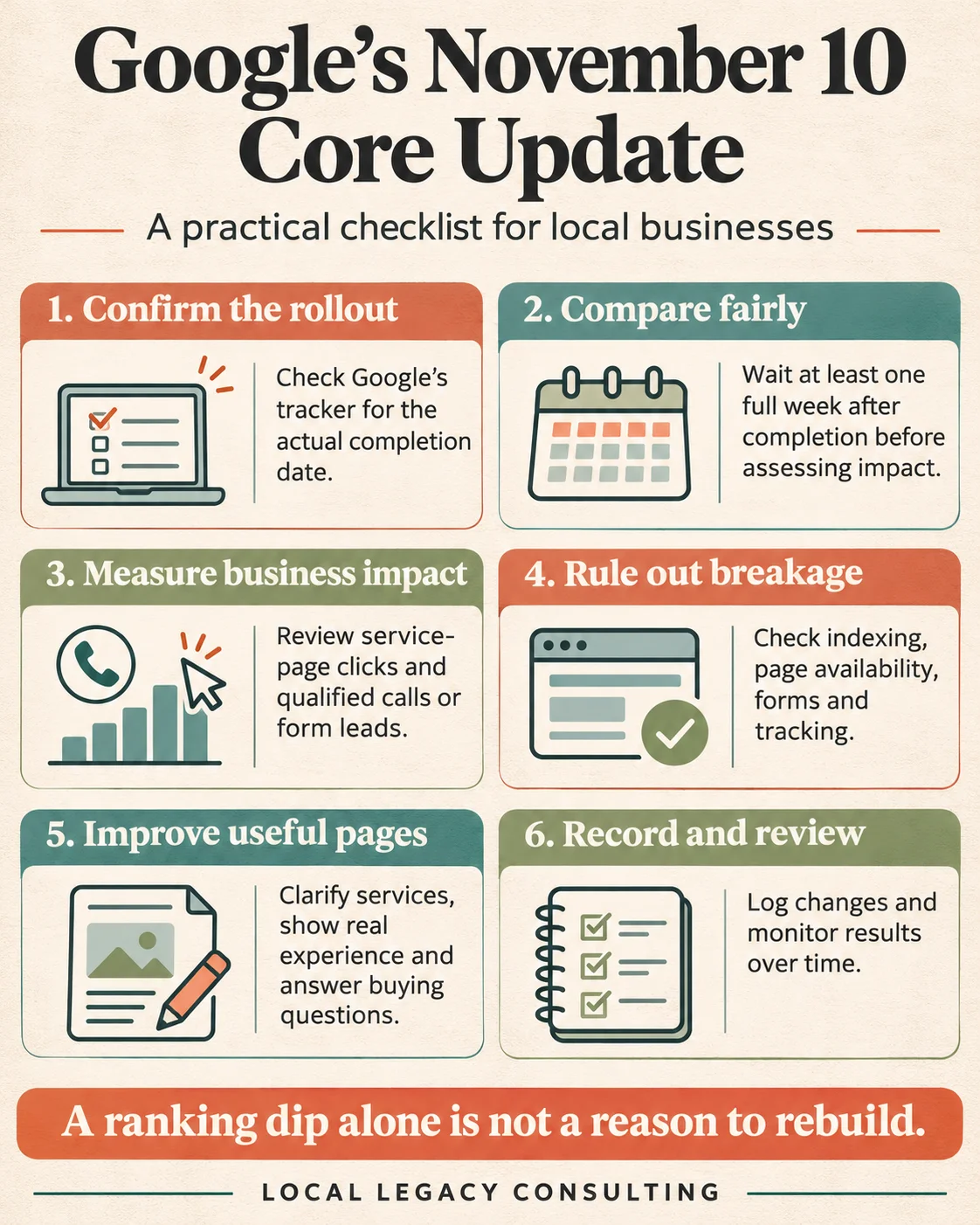
Google recommends waiting at least one full week after a core update finishes before assessing its effects in Search Console. Then compare that post-rollout week with a week before the update began. Check the tracker for the actual completion date. Google’s core-update guidance.
For this update, November 3–9 provides one possible full-week baseline before the November 10 start.
Do not choose the post-update comparison dates until completion is confirmed.
As a practical measurement approach, keep the weekdays and reporting filters consistent. For businesses with limited traffic, examine longer periods too: a handful of visits or inquiries can create a large percentage change.
Account for holidays, seasonal demand, weather, advertising changes, and staffing availability. These can affect customer behavior independently of search rankings.
You can monitor the site now. Waiting for a meaningful comparison does not mean ignoring a broken form or an unavailable service page.
Rule out technical problems before blaming the update
A traffic decline that happens during a core update is not automatically caused by it.
Check whether anything else changed around the same time:
- Was the website relaunched or moved?
- Were important URLs changed?
- Did a page become unavailable?
- Was an indexing restriction accidentally added?
- Were redirects changed or removed?
- Did analytics or lead tracking stop recording correctly?
Use Search Console’s URL Inspection and indexing reports to investigate affected pages. Review manual-action and security notices if present, rather than assuming every decline is algorithmic.
Google’s traffic-drop guidance identifies technical issues, demand changes, and seasonality among the explanations worth investigating. Google’s guide to diagnosing search traffic drops.
Separately, test the customer journey yourself. Open the page on a phone, use the call link, and submit a clearly labeled test inquiry through your normal process.
Search visibility and a working inquiry process both matter.
Review the pages that lost meaningful visibility
Once you have a dependable comparison, prioritize affected pages tied to real business value.
For each one, ask:
Does the page explain the actual service?
A customer should understand what you do, whom you help, and the relevant limits of the work.
Does it demonstrate experience?
Use relevant project examples, original photos you have permission to publish, and specific explanations of your approach.
Does it answer the questions that affect a buying decision?
Explain scope, process, service area, timing factors, and what happens after an inquiry.
Is the information accurate?
Check contact details, services, qualifications, availability claims, and any pricing information.
Can someone find the answer without unnecessary effort?
Review headings, mobile readability, navigation, and the placement of essential details.
These questions translate Google’s emphasis on helpful, reliable, people-first content into a practical service-page review. They are not a checklist that guarantees higher rankings. Google’s helpful-content guidance.
Make improvements customers can use
A useful update should address a specific weakness.
Consider these examples:
| Page problem | Practical improvement |
|---|---|
| The service description could fit any company | Explain the actual work, customer fit, and service boundaries |
| The page makes broad quality claims | Add a relevant project example with concrete details |
| Visitors cannot tell where you work | State the real service area clearly |
| The next step is vague | Explain what happens after a call or form submission |
| Essential answers are buried | Move them beside the service, pricing, or inquiry section |
| Several pages repeat nearly identical information | Review whether each serves a distinct customer need before consolidating |
For example, a contractor page that says “quality remodeling at affordable prices” gives a homeowner little to evaluate.
A more useful page could explain the types of remodeling projects the business handles, show completed work, describe how estimates are prepared, and identify the areas served.
That makes the page more informative even if search performance takes time to change.
Our article on landing page FAQs and customer decisions explains why essential answers often belong in the main page rather than a long list at the bottom.
When does a rebuild make sense?
A rebuild deserves consideration when the existing website creates persistent problems that targeted improvements cannot reasonably solve.
Examples include a platform that prevents necessary maintenance, widespread mobile usability problems, or a site structure that no longer represents the business.
A temporary ranking decline alone does not establish any of those conditions.
Before approving a rebuild, ask for a diagnosis:
- Which problems require a rebuild?
- Which can be fixed on the current site?
- What existing content and URLs should be preserved?
- How will redirects and measurement be handled?
- How will success be judged beyond appearance?
If a rebuild is justified, plan it carefully. Our website redesign SEO checklist covers considerations for protecting search visibility during a change.
Set realistic expectations after making changes
Google advises against drastic reactions to small ranking drops. Improvements may take days or months to be reflected, and recovery is not guaranteed. Google’s core-update guidance.
Keep a simple change log recording the page, the problem, the improvement, and the date.
Review clicks, relevant queries, and qualified inquiries over time. Avoid treating one better week as proof that a particular edit caused a recovery.
The immediate goal is to make a sound decision: understand what changed, fix real problems, and improve the pages customers depend on.
Before rebuilding your website because rankings moved, establish whether the issue is visibility, demand, measurement, or the experience people have after they arrive.
If you need help sorting that out, talk with Local Legacy about your website.